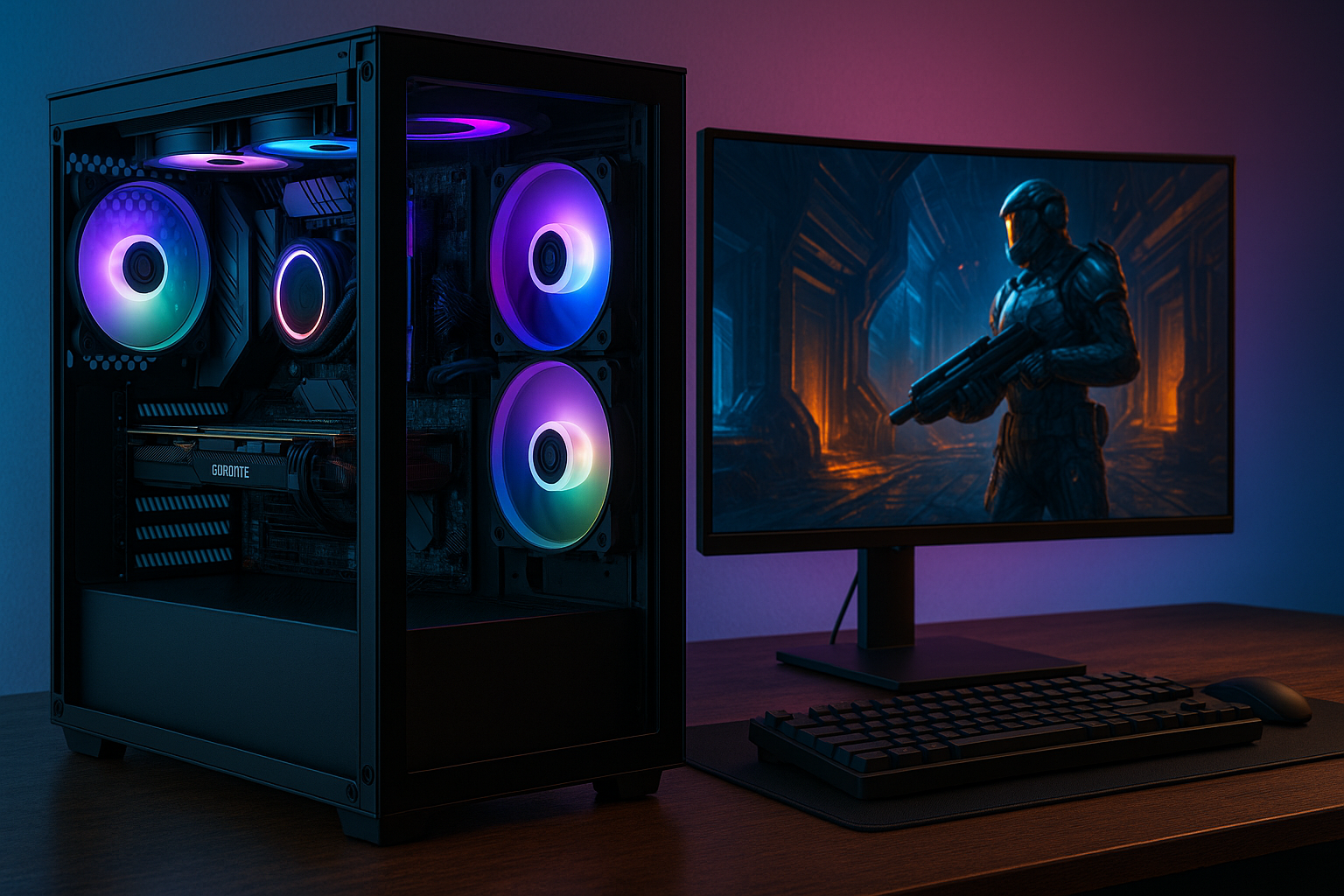
Build vs. Buy: Your Best Dedicated Streaming PC Guide
The world of online streaming has exploded, transforming from a niche hobby into a thriving digital arena for entertainment, education, and community building. Whether you're an aspiring Twitch superstar, a YouTube gaming maestro, or a professional looking to share your skills, a reliable and powerful machine is the backbone of your success. This often brings streamers face-to-face with a crucial decision: should you invest in a dedicated streaming PC build tailored to your exact needs, or opt for the convenience of a prebuilt system?
Gone are the days when a basic setup could cut it. Modern streaming, especially when coupled with demanding AAA games, requires a robust PC capable of juggling multiple high-intensity tasks simultaneously. Without the right hardware, you risk frustrating lags, stutters, and freezes that can deter viewers and hinder your content quality. This guide will help you navigate the complexities of acquiring your ideal streaming rig, ensuring a smooth, high-fidelity experience for both you and your audience.
Understanding "Dedicated Streaming PC": Single vs. Dual Setups
When we talk about a dedicated streaming PC build, it doesn't always mean two separate machines. For many, a single, powerful computer effectively serves as their dedicated streaming and gaming powerhouse. However, for those aiming for the absolute peak of performance and reliability, a dual-PC setup offers distinct advantages.
The Single-PC Streaming Powerhouse
A single PC setup is the most common and often the most cost-effective approach for streamers. Modern processors and graphics cards are incredibly capable, often featuring dedicated hardware encoders (like NVIDIA's NVENC or AMD's AMF) that can handle the strenuous task of video encoding with minimal impact on gaming performance. If you choose this route, your single PC will need to be exceptionally well-specced to handle both the resource-intensive game you're playing and the real-time encoding and uploading of your stream.
- Pros: Simpler setup, less hardware to manage, lower overall cost compared to two high-end PCs, less desk space required.
- Cons: Potential for performance bottlenecks if not adequately specced, especially with very demanding games at high settings, fewer resources available for other background tasks.
The Dual-PC Streaming Advantage
For professional streamers, esports competitors, or anyone who demands zero compromises on in-game frame rates and stream quality, a dual-PC setup is often the gold standard. Here, one PC is exclusively dedicated to gaming, delivering maximum frames per second without interference. The second, a "streaming PC" or "encoding PC," handles all the broadcasting tasks, including video encoding, overlay management, chat, and alerts. This separation ensures that even if your gaming PC is under immense load, your stream remains buttery smooth and consistent.
- Pros: Uncompromised gaming performance, consistently high stream quality, redundancy (if one PC crashes, the other might still be functional), more flexibility for advanced stream setups.
- Cons: Significantly higher cost, more complex setup and cabling, requires a capture card, more desk space.
If you're considering the ultimate performance of a dual-PC setup, be sure to delve deeper into the specific requirements for the secondary machine. For an in-depth look at the encoding rig, check out our guide: Dual PC Streaming: Essential Specs for Your Mini Encoding Rig.
The Build vs. Buy Dilemma: Custom Craftsmanship or Instant Play?
Once you've decided on your setup strategy (single or dual PC), the next big question emerges: should you painstakingly select each component to build your own dedicated streaming PC, or should you purchase a ready-to-go prebuilt system?
Why Build Your Own Dedicated Streaming PC?
Building your own PC offers an unparalleled level of customization and control. It's an empowering experience that yields a machine perfectly aligned with your unique streaming ambitions.
- Tailored Performance: You choose every single component, ensuring no bottlenecks and optimal synergy for your specific needs, whether it's maximum frame rates in competitive games or efficient, high-bitrate encoding.
- Cost-Effectiveness (Potentially): By carefully sourcing parts, you can often get more performance for your money compared to an identically specced prebuilt system. You also avoid "bloatware" that often comes with prebuilts.
- Upgradeability & Learning: Understanding how your PC works makes future upgrades simpler and more cost-efficient. It's a valuable skill that empowers you to troubleshoot and maintain your system.
- Aesthetic Control: From RGB lighting to cable management, you dictate the look and feel of your streaming battlestation.
However, building a PC isn't without its challenges. It requires time, research, and a degree of technical confidence to ensure component compatibility and proper assembly. For beginners, the process can seem daunting.
The Appeal of a Prebuilt Streaming PC
For those who prioritize convenience, time-saving, or simply lack the desire to delve into PC assembly, a prebuilt streaming PC is an excellent choice. The market for prebuilt gaming and streaming PCs has matured significantly, offering robust options from reputable brands.
- Convenience & Time-Saving: Unbox, plug in, and you're ready to stream. No need to research components, assemble, or install operating systems.
- System Warranty & Support: The entire system is covered by a single warranty, and professional customer support is available if issues arise. This provides peace of mind that individual component warranties don't.
- Guaranteed Compatibility: Manufacturers ensure all components work seamlessly together, eliminating potential compatibility headaches.
- Professional Assembly & Testing: Prebuilt PCs are typically assembled by experts and thoroughly tested before shipping, reducing the risk of initial setup failures.
The main drawback is often the price; prebuilts generally carry a premium for the convenience, assembly, and warranty. It's crucial to research reputable system integrators and meticulously evaluate the included specifications to ensure you're getting good value and avoiding underpowered or poorly balanced configurations.
Essential Components for Your Dedicated Streaming PC Build
Regardless of whether you build or buy, understanding the core components that drive a powerful dedicated streaming PC build is paramount. Prioritizing these elements will directly impact your stream quality and overall experience.
The Central Processing Unit (CPU)
The CPU is the brain of your streaming PC. For software encoding (x264), a higher core count and strong clock speeds are crucial. While a quad-core CPU with a good clock speed might handle basic streaming, stepping up to a hexa-core (6-core) or octa-core (8-core) processor from Intel (e.g., i5, i7, i9) or AMD (e.g., Ryzen 5, Ryzen 7, Ryzen 9) will provide significantly smoother performance, especially when gaming and streaming simultaneously. For dual-PC setups, the streaming PC's CPU often shoulders the heaviest encoding load.
The Graphics Processing Unit (GPU)
A powerful GPU is not just for gaming; it's vital for streaming too. Modern NVIDIA GeForce RTX and AMD Radeon RX GPUs feature dedicated hardware encoders (NVENC and AMF, respectively) that are incredibly efficient at encoding video with minimal performance impact. Using these encoders offloads the work from your CPU, freeing it up for gaming tasks. For a single-PC setup, an NVIDIA RTX 30-series or 40-series card, or a comparable AMD RX 6000 or 7000 series card, is highly recommended.
Random Access Memory (RAM)
While 8GB of RAM might be a start, 16GB is the widely accepted standard for a dedicated streaming PC build, offering ample headroom for your game, OBS/streaming software, browser, chat applications, and any other background processes. For future-proofing or heavy multi-tasking, 32GB can provide an even smoother experience, though it's often overkill for most single-PC setups.
Storage: SSD is Non-Negotiable
Forget hard disk drives (HDDs) for your operating system and primary games/streaming software. A fast Solid State Drive (SSD), particularly an NVMe M.2 drive, is essential for rapid boot times, quick game loading, and responsive software. A 1TB NVMe SSD is a good starting point, with larger capacities available for extensive game libraries.
Power Supply Unit (PSU)
Often overlooked, the PSU is the heart that delivers power to all your components. Do not skimp here. Choose a reputable brand with sufficient wattage to comfortably power your CPU and GPU, plus some headroom for future upgrades. An 80+ Bronze or Gold efficiency rating is a good benchmark.
Cooling Solutions
Streaming and gaming push your components hard, generating significant heat. Effective cooling (either air cooling or an All-in-One liquid cooler) is crucial to maintain stable performance, prevent thermal throttling, and extend the lifespan of your hardware. Invest in a good CPU cooler and ensure your PC case has adequate airflow.
Budgeting for Your Build
When allocating your budget for a dedicated streaming PC build, prioritize the CPU and GPU above all else. These two components will have the most significant impact on both your gaming performance and stream quality. Remember, you don't necessarily need to break the bank to get a capable streaming rig. For smart ways to get started without overspending, explore our guide on Budget Dedicated Streaming PC Builds to Conquer Lag & Stutters.
Conclusion
The journey to acquiring your best dedicated streaming PC build is a personalized one, deeply influenced by your budget, technical comfort, and streaming aspirations. Whether you choose the hands-on satisfaction and ultimate customization of a DIY build or the convenience and warranty of a prebuilt system, the core principle remains: invest wisely in the components that will empower your content creation. By understanding the roles of the CPU, GPU, and RAM, and making informed decisions, you'll be well-equipped to deliver a captivating, lag-free streaming experience to your audience, turning your passion into a polished reality.